
Infectious Smile Grab Sound ID and Audio Configuration
Infectious Smile grab sound id queries lead directly to the in-game audio configuration, where players input a numeric audio ID into the settings menu for custom background music while managing sound effects through the dedicated SFX volume slider.
Infectious Smile grab sound id queries lead directly to the in-game audio configuration, where players input a numeric audio ID into the settings menu for custom background music while managing sound effects through the dedicated SFX volume slider.
In-Game Audio Settings and Audio IDs
Roblox Infectious Smile handles sound personalization through its dedicated settings interface. Players access the settings menu to configure background tracks by entering a valid Roblox audio ID directly into the background music entry field. Submitting a numerical asset ID replaces the default soundtrack with that specific audio track during standard matches. Players searching for a music id rely on this built-in input field to change their auditory environment.
System audio levels are managed independently through two designated sliders. The developer laughablehaha implemented separate sliders for Sound Effects (SFX) and Music to improve spatial awareness and voice chat clarity. Adjusting the SFX slider scales combat impacts, item interactions, and grab audio cues, while the Music slider controls background track volume without silencing critical survival sounds.
Smile Grab Mechanics and Sound Cues
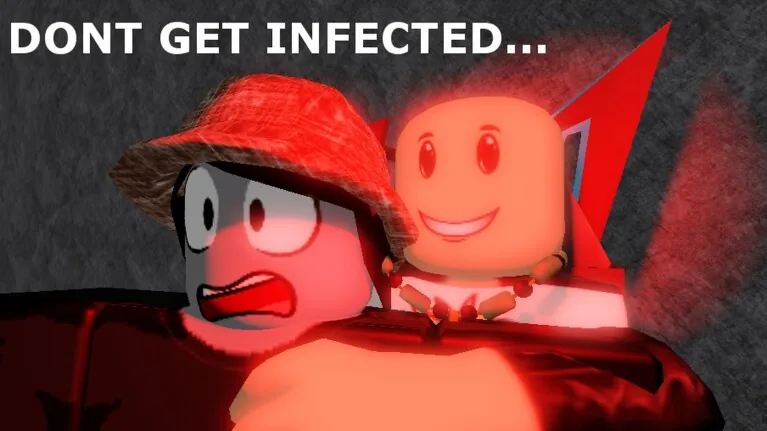
Audio cues signal danger when an infected player approaches an uninfected human survivor. When a Smile moves into close contact, initiating a grab triggers immediate audio feedback alongside visual indicators. The infected player grabs the survivor and rubs their face, forcing the human character to cover their face with both hands, tremble, and convert into a Smile equipped with the default Winning Smile cosmetic face.
Survivors caught in a grab cannot break free through movement alone. Escaping a grab requires quick action with a knife or handgun, conditional hits from a shotgun or hatchet, or direct intervention from nearby teammates attacking the defenseless Smile. For players learning how to grab on PC, shifting camera angles and using Shift Lock aids targeting, but grab audio alerts alert surrounding humans to rescue their teammates. Distinct event music also plays across the entire server when a player drinks a Giant Potion, shaking the map and announcing the transformation, followed by unique audio tracks when the giant is defeated.
Audio Configuration Options
The settings menu provides specific controls to balance music playback against action sound cues.
| Audio Option | Best For | Requirement |
|---|---|---|
| Background Music | Customizing soundtrack playback | Numeric audio ID entered into the settings menu |
| Music Volume Slider | Balancing background tracks during voice chat | In-game settings menu adjustment |
| SFX Volume Slider | Hearing combat actions and grab sound cues | In-game settings menu adjustment |
Customizing Match Sound and Cosmetics
Beyond setting a background music ID, players personalize their appearance and interactions through store options. Protesting players who turn into Smiles receive a sign by default, which can be altered by spending 20 coins to clear the original graphic and display custom text.
Survivors and Smiles also alter character presentation through gamepasses. Purchasing Choose Infection Face lets players select cosmetics such as the Manly Face, Friendly Smile, or Award Winning Smile to spread upon contact rather than the standard Winning Smile. Uninfected survivors who fall victim to an unexpected grab retain an opportunity to reverse their condition: touching the pool in the swamp of sadness clears the infection and returns the player directly to human form.